
TL;DR
AI-built UIs look generic because the model has no opinion to copy from. Replace its defaults with someone else’s at every layer: design systems, design-language skills, references for icons and logos, and pre-built components.
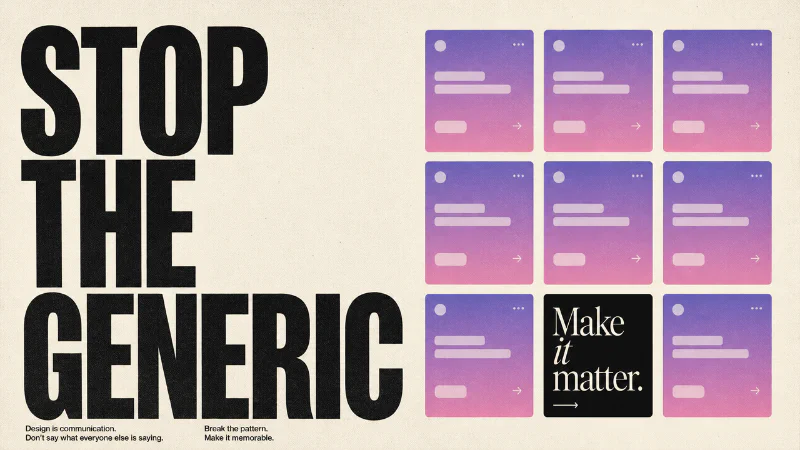
AI-built landing pages have a tell. Lavender-to-pink gradient hero. A glowing “Get Started” button that’s slightly off-center because the prompt said “modern and clean.” A “trusted by” section with logos you’ve never heard of in fonts you’ve definitely seen.
Nine free tools below, grouped by where genericness leaks in.
Replace the model’s defaults with someone else’s#
Don’t ask your agent for a “better” UI. Give it a design system to work inside.
Open Design#
Open Design is the open-source counterpart to Anthropic’s Claude Design. It ships 19 composable design skills and 71 brand-grade design systems, and runs on top of whatever coding agent you already use: Claude Code, Codex, Cursor, Gemini, or OpenCode. BYOK at every layer, MIT licensed, source on GitHub.
What makes it work is the inversion: instead of “generate me a UI,” you pick a design system, and the skills enforce its conventions when scaffolding screens. The output isn’t generic because the constraints aren’t generic. You can build web apps, desktop UIs, mobile prototypes, even slide decks, and they’ll feel coherent because they’re sharing a real visual language, not the model’s pile-of-references default.
Refero Styles#
If Open Design’s built-in systems don’t match your aesthetic, Refero Styles is the next stop. It’s a curated library of design systems extracted from real products, each one packaged as a DESIGN.md you can drop straight into your project’s context.
Want your app to feel like Linear? Click the Linear card. You get border radius, shadow tokens, color ramps, motion guidelines, do-and-don’t examples, the whole vocabulary. Paste it into your project, point your agent at it, and the next time you ask for “a settings page,” it inherits the entire visual register instead of falling back to bland Tailwind defaults.
This pairs cleanly with Open Design. Pick a DESIGN.md from Refero, drop it in, and Open Design’s skills now scaffold in that brand’s voice.
Give the agent a design vocabulary#
Design systems tell the agent what things should look like. They don’t teach it taste. For that, you want skills that encode design judgment as commands.
Impeccable#
Impeccable is a design language layer for AI harnesses, built by Paul Bakaus. It ships 23 commands like polish, audit, critique, typeset, animate, and delight, each backed by seven domain reference files covering typography, color, motion, spatial reasoning, interaction, responsiveness, and UX writing. The references load on every command, so your agent always has the relevant rules in context.
What makes it more than a prompt library is the brand-vs-product mode switch. Brand mode treats design as the product (marketing, portfolios, editorial). Product mode treats design as serving the product (app UI, dashboards, tools). The same typeset command produces a poster in brand mode and a settings panel in product mode. That distinction alone fixes a huge category of “why does my SaaS dashboard look like a band’s landing page” mistakes.
Install with npx skills add pbakaus/impeccable, drop your design system into the project, then run impeccable teach. It generates product and design markdown files the harness reads on every subsequent command. This works just as well on an established codebase as a greenfield one. Drop in your reference, teach the agent, and every future change inherits the same vocabulary, no rewrites needed. Source on GitHub.
Emil Kowalski’s design-engineering skill#
If Impeccable is the rules, Emil Kowalski’s skill is the philosophy. Emil is a design engineer on the web team at Linear, and the skill distills the writing from his personal site into agent-readable form: animation easing curves, when to animate and when not to, component feel, the difference between a UI that responds and a UI that performs.
The reason this matters more than it sounds: language models respond well to motivational context. If you tell an agent “use 200ms ease-out for this drawer,” it will. If you tell it “drawers should feel like they were already opening when you clicked, never like a window being summoned,” and back that with Emil’s reasoning, it makes better decisions on the next ten interactions you didn’t explicitly specify.
This is the difference between a UI that follows rules and a UI that has a point of view.
Win the small details#
A solid design system gets you 80% of the way there. The last 20%, the part that makes a UI feel real, lives in icons, microinteractions, and the integration logos you forgot to source.
Kittl#
Kittl is an AI-first design platform with a vector generator built in. The free tier covers most use cases. Type “Airbnb-style vector icon for a chef’s hat,” pick a style, generate, then run the result through Kittl’s vectorizer to get a clean SVG you can recolor and reuse.
The reason this beats “I generated a PNG in another tool” is the vectorize-and-edit step. You end up with actual editable shapes, not a raster you have to live with. For app icons, illustration spots, and the kind of branded marks that make a product feel like a product instead of a wrapper around a model, it’s the cheapest path forward.
Design Spells#
Design Spells is a curated collection of microinteractions, easter eggs, and “details that feel like magic.” It started as an X account in 2023 and grew into a library of UI tricks worth screenshotting.
This isn’t a tool you generate from. It’s a tool you mine for inspiration, then describe back to your agent. “I want the integration drawer to expand the way Granola’s does, with progressive disclosure as the user requests more detail.” Specific reference, specific behavior, specific output. Browse it the way you’d browse Dribbble, but for interactions instead of static screens.
SVGL#
SVGL is a library of 657 high-quality SVG logos for tech brands and products. MIT licensed, light and dark variants, wordmark and icon-only versions, public API. Source on GitHub.
The use case is obvious: any “trusted by” or “integrates with” section on any landing page you’ll ever build. Stop telling your agent to “draw the Slack logo.” Pull the real one from SVGL and hand it the file. Real, recognizable logos signal authority. AI-traced approximations signal the opposite.
Don’t rebuild components, copy them#
Rebuilding components from scratch with an agent is the single most wasteful thing you can do. Two libraries make that unnecessary.
Cult UI#
Cult UI is an open-source set of Shadcn-compatible components, blocks, and templates explicitly built for design engineers. Tailwind v4, motion-first, MIT licensed. Source by nolly-studio.
The blocks are the hidden value. Mock-chat layouts, onboarding modals, pricing sections, all production-ready and styled in a way that doesn’t scream Shadcn defaults. If you’re building a Claude-style chat interface, Cult UI has a block called exactly that, and it’s already animated.
Install via the Shadcn CLI: npx shadcn@beta add @cult-ui/[component-name].
Untitled UI React#
Untitled UI React is, by its own claim, the largest open-source React component library out there: 5,000+ components and 250+ page examples, built on Tailwind CSS v4 and React Aria. MIT licensed for the open-source portion. Source on GitHub.
Where Cult UI is opinionated and motion-heavy, Untitled UI is broad and accessibility-first. React Aria handles the keyboard nav, ARIA attributes, and focus management you’d otherwise spend a week debugging. For tables, complex forms, command palettes, and the kind of dense application surfaces where accessibility actually matters, this is the better starting point.
The combo that actually works#
You don’t need all nine tools. Stop chaining 14 things. Here’s the stack:
- Pick one design system from Refero Styles. Drop the
DESIGN.mdinto your project. - Install Impeccable for the design vocabulary, and Emil’s skill for the philosophy of how interfaces should feel.
- Scaffold with Open Design, which honors both.
- When you need icons or illustrations, use Kittl. When you need brand logos, use SVGL. When you need inspiration for an interaction, browse Design Spells.
- For components you don’t want to design, copy from Cult UI (motion-heavy, opinionated) or Untitled UI (broad, accessible).
That’s the stack. Use it for a week and you’ll start spotting AI-defaults in everyone else’s work too.