UNICODE jest standardem kodowania znaków na dwu bajtach, pozwalającym na zdefiniowanie 65536 znaków, bez potrzeby używania różnych stron kodowych dla alfabetów narodowych. Dla kodowania w standardzie ASCII (kodowanie na jednym bajcie) mamy do dyspozycji jedynie 256 znaków i aby uzyskać litery z różnych alfabetów narodowych, trzeba stosować strony kodowe
W poniższej tabeli zestawiono znaki Unicode kodujące polskie litery:
| Litera | Kod Unicode | Litera | Kod Unicode |
| Ą | 0104 | Ó | 00D3 |
| ą | 0105 | ó | 00F3 |
| Ć | 0106 | | 015A |
| ć | 0107 | | 015B |
| Ę | 0118 | | 0179 |
| ę | 0119 | | 017A |
| Ł | 0141 | Ż | 017B |
| ł | 0142 | ż | 017C |
Tabela 6-1 Zestawienie znaków Unicode kodujących polskie litery.
Aby w programie Javy użyć znaków Unicode stosujemy następującą konwencję:
\ukod_znaku
Przykład:
public void paint(Graphics g)
{
	g.drawString("Dzi\u0119kuj\u0119 ",10,10);
}
Powyższa metoda paint() apletu, drukuje na ekranie słowo Dziękuję.
Znaki Unicode są wywietlane, jeli system, w którym uruchamiane są programy stosujące znaki Unicode implementuje kodowanie znaków Unicode. W przypadku, gdy w zbiorze czcionek nie jest dostępny obraz graficzny reprezentujący dany znak, powinien być wywietlony automatycznie znak podobny (np. gdy brak litery wywietlana jest litera S ).
Uwaga:
Obecnie standard Unicode nie jest jeszcze zaimplementowany we wszystkich systemach operacyjnych i przeglądarkach.
Tabele wszystkich znaków Unicode dostępne są w Internecie pod adresem: http://www.unicode.org/
| obsługa zdarzeń AWT 1.0 | obsługa zdarzeń AWT 1.1 | ||
| Zdarzenie / Metoda | Wygenerowana przez | Interfejs | Metoda |
| ACTION_EVENT/action | Button, List,
MenuItem, TextField
|
ActionListener
|
actionPerformed(ActionEvent)
|
| ACTION_EVENT/action | Checkbox,
CheckboxMenuItem
Choice
|
ItemListener
|
itemStateChanged(ItemEvent)
|
WINDOW_DESTROY
WINDOW_EXPOSE
WINDOW_ICONIFY
WINDOW_DEICONIFY
|
Dialog, Frame
|
WindowListener
|
windowClosing(WindowEvent)
windowOpened(WindowEvent)
windowIconified(WindowEvent)
windowDeiconified(WindowEvent)
windowClosed(WindowEvent)*
windowActivated(WindowEvent)*
windowDeactivated(WindowEvent)*
|
WINDOW_MOVED
|
Dialog, Frame
|
ComponentListener
|
componentMoved(ComponentEvent)
componentHidden(ComponentEvent)*
componentResized(ComponentEvent)*
componentShown(ComponentEvent) *
|
SCROLL_LINE_UP
SCROLL_LINE_DOWN
SCROLL_PAGE_UP
SCROLL_PAGE_DOWN
SCROLL_ABSOLUTE
SCROLL_BEGIN
SCROLL_END
|
Scrollbar
|
AdjustmentListener
(lub użyj nowej klasy
ScrollPanel)
|
adjustmentValueChanged(AdjustmentEvent)
|
LIST_SELECT
LIST_DESELECT
|
Checkbox,
CheckboxMenuItem
Choice, List
|
ItemListener
|
itemStateChanged(ItemEvent)
|
MOUSE_DRAG
/mouseDrag
MOUSE_MOVE
/mouseMove
|
Canvas, Dialog,
Frame, Panel,
Window
|
MouseMotionListener
|
mouseDragged(MouseEvent)
mouseMoved(MouseEvent)
|
MOUSE_DOWN /mouseDown
MOUSE_UP /mouseUp
MOUSE_ENTER
/mouseEnter
MOUSE_EXIT /mouseExit
|
Canvas, Dialog,
Frame, Panel,
Window
|
MouseListener
|
mousePressed(MouseEvent)
mouseReleased(MouseEvent)
mouseEntered(MouseEvent)
mouseExited(MouseEvent)
mouseClicked(MouseEvent)*
|
KEY_PRESS/keyDown
KEY_RELEASE/keyUp
KEY_ACTION /keyDown
KEY_ACTION_RELEASE
/keyUp
|
Component
|
KeyListener
|
keyPressed(KeyEvent)
keyReleased(KeyEvent)
keyTyped(KeyEvent)*
|
GOT_FOCUS/gotFocus
LOST_FOCUS/lostFocus
|
Component
|
FocusListener
|
focusGained(FocusEvent)
focusLost(FocusEvent)
|
brak odpowiednika
w wersji 1.0
|
ContainerListener
|
componentAdded(ContainerEvent)
componentRemoved(ContainerEvent)
|
|
| brak odpowiednika w wersji 1.0 | TextListener
|
textValueChanged(TextEvent)
|
|
Uwagi:*
|
|||
Tabela 6-2 Tabela konwersji obsługi zdarzeń z wersji AWT 1.0 do 1.1
| "Stara" metoda z AWT 1.0 |
Klasa w której nastąpiła zmiana | Wymiennik z AWT 1.1 |
Component
|
||
AllowsMultipleSelections
|
List
|
|
TextArea
|
||
Component
|
||
List
|
||
Container
|
||
Choice, List, Menu
|
||
MenuBar
|
||
Component, Container
|
||
MenuItem
|
||
Component, MenuItem
|
||
Component
|
||
Polygon
|
||
Graphics
|
||
CheckboxGroup
|
||
Frame
|
||
Scrollbar
|
||
Scrollbar
|
||
Component
|
No replacement.
|
|
GetVisible
|
Scrollbar
|
|
Component
|
||
HandleEvent
|
Component
|
|
Hide
|
Component
|
|
TextArea
|
||
Container
|
||
Component, Polygon,
Rectangle
|
||
List
|
||
Component
|
||
KeyUp
|
Component
|
|
Layout
|
Component, Container,
ScrollPane
|
|
Component, Container
|
||
Component
|
||
Component
|
||
MinimumSize
|
 Component, Container,
TextArea, TextField
|
|
Component
|
||
MouseDrag
|
Component
|
|
MouseEnter
|
Component
|
|
MouseExit
|
Component
|
|
MouseMove
|
Component
|
|
MouseUp
|
Component
|
|
Move
|
Component, Rectangle
|
|
 Component, Container,
Window
|
||
Component, Window
|
||
Component,Container,
TextArea, TextField
|
||
TextArea
|
||
Component, Rectangle
|
||
Component, Rectangle
|
||
CheckboxGroup
|
||
Frame
|
||
TextField
|
||
Scrollbar
|
||
List
|
||
Scrollbar
|
||
Component
|
||
Component
|
||
Component
|
Tabela 6-3 Zestawienie zmian w AWT 1.1 w porównaniu do AWT 1.0
Uwaga: W tabeli tej zestawione są zmienione elementy AWT nie uwzględniono tu nowych elementów AWT 1.1.
Tworząc nowy aplet w środowisku Visual J++ 1.1 możemy skorzystać ze standardowego szkieletu apletu wielowątkowego, który możemy dowolnie modyfikować. W przedstawionej w poniższym przykładzie wersji apletu, ładowane są obrazki, które będą służyły jako klatki animacji. Po załadowaniu wszystkich obrazków uruchamiany jest aplet.
Ten przykładowy kod, może być przez nas, oczywicie, wykorzystany w innych środowiskach programistycznych Javy przy tworzeniu apletów zawierających animacje lub korzystających z wielowątkowoci.
Przykład 6.1 Szkielet apletu wielowątkowego
//***************************************************************
// MultiAplet.java:	Applet
//***************************************************************
import java.applet.*;
import java.awt.*;
//===============================================================
// Main Class for applet MultiAplet
//===============================================================
public class MultiAplet extends Applet implements Runnable
{
	// THREAD SUPPORT:
	//		m_MultiAplet	is the Thread object for the applet
	//-----------------------------------------------------------
	private Thread	 m_MultiAplet = null;

	// ANIMATION SUPPORT:
	//		m_Graphics		used for storing the applet's Graphics context
	//		m_Images[]		the array of Image objects for the animation
	//		m_nCurrImage	the index of the next image to be displayed
	//		m_ImgWidth		width of each image
	//		m_ImgHeight		height of each image
	//		m_fAllLoaded	indicates whether all images have been loaded
	//		NUM_IMAGES 		number of images used in the animation
	//------------------------------------------------------------
	private Graphics m_Graphics;
	private Image	 m_Images[];
	private int 	 m_nCurrImage;
	private int 	 m_nImgWidth  = 0;
	private int 	 m_nImgHeight = 0;
	private boolean  m_fAllLoaded = false;
	private final int NUM_IMAGES = 18;

	// MultiAplet Class Constructor
	//-----------------------------------------------------------
	public MultiAplet()
	{
		// TODO: Add constructor code here
	}

	// APPLET INFO SUPPORT:
	//		The getAppletInfo() method returns a string describing the
	// applet's author, copyright date, or miscellaneous information.
	//--------------------------------------------------------------
	public String getAppletInfo()
	{
		return "Name: MultiAplet\r\n" +
			   "Author: Artur Tyloch\r\n" +
			   "Created with Microsoft Visual J++ Version 1.1";
	}
	//The init() method is called by the AWT when an applet is first
	//loaded or reloaded. Override this method to perform whatever
	// initialization your applet needs, such as initializing data
	// structures, loading images or fonts, creating frame windows,
	// setting the layout manager, or adding UI components.
	//------------------------------------------------------------
	public void init()
	{
		// If you use a ResourceWizard-generated "control creator"
		// class to arrange controls in your applet, you may want to
		// call its CreateControls() method from within this method.
		// Remove the following call to resize() before adding the call
		// to CreateControls();
		// CreateControls() does its own resizing.
		//----------------------------------------------------------
		resize(320, 240);

		// TODO: Place additional initialization code here
	}

	// Place additional applet clean up code here.  destroy() is
	// called when when you applet is terminating and being unloaded.
	//-------------------------------------------------------------
	public void destroy()
	{
		// TODO: Place applet cleanup code here
	}

	// ANIMATION SUPPORT:
	//		Draws the next image, if all images are currently loaded
	//-------------------------------------------------------------
	private void displayImage(Graphics g)
	{
		if (!m_fAllLoaded)
			return;

		// Draw Image in center of applet
		//-----------------------------------------------------------
		g.drawImage(m_Images[m_nCurrImage],
				   (size().width - m_nImgWidth)   / 2,
				   (size().height - m_nImgHeight) / 2, null);
	}

	// MultiAplet Paint Handler
	//--------------------------------------------------------------
	public void paint(Graphics g)
	{
		// ANIMATION SUPPORT:
		//		The following code displays a status message until all the
		// images are loaded. Then it calls displayImage to display the
		// current image.
		//-----------------------------------------------------------
		if (m_fAllLoaded)
		{
			Rectangle r = g.getClipRect();

			g.clearRect(r.x, r.y, r.width, r.height);
			displayImage(g);
		}
		else
			g.drawString("Loading images...", 10, 20);

		// TODO: Place additional applet Paint code here
	}

	//		The start() method is called when the page containing the
	// applet first appears on the screen. The AppletWizard's initial
	// implementation of this method starts execution of
	// the applet's thread.
	//----------------------------------------------------------------
	public void start()
	{
		if (m_MultiAplet == null)
		{
			m_MultiAplet = new Thread(this);
			m_MultiAplet.start();
		}
		// TODO: Place additional applet start code here
	}

	//		The stop() method is called when the page containing the
	// applet is no longer on the screen. The AppletWizard's initial
	// implementation of this method stops execution of
	// the applet's thread.
	//--------------------------------------------------------------
	public void stop()
	{
		if (m_MultiAplet != null)
		{
			m_MultiAplet.stop();
			m_MultiAplet = null;
		}

		// TODO: Place additional applet stop code here
	}

	// THREAD SUPPORT
	//		The run() method is called when the applet's thread is
	// started. If your applet performs any ongoing activities without
	// waiting for user input, the code for implementing that behavior
	// typically goes here. For example, for an applet that performs
	// animation, the run() method controls the display of images.
	//----------------------------------------------------------------
	public void run()
	{
		m_nCurrImage = 0;

		// If re-entering the page, then the images have already
		// been loaded.
		// m_fAllLoaded == TRUE.
		//------------------------------------------------------------
		if (!m_fAllLoaded)
		{
			repaint();
			m_Graphics = getGraphics();
			m_Images   = new Image[NUM_IMAGES];

			// Load in all the images
			//---------------------------------------------------------
			MediaTracker tracker = new MediaTracker(this);
			String strImage;

			// For each image in the animation, this method first
			// constructs a string containing the path to the image file;
			// then it begins loading the image into the m_Images array.
			// Note that the call to getImage will return before the
			// image is completely loaded.
			//---------------------------------------------------------
			for (int i = 1; i <= NUM_IMAGES; i++)
			{
				// Build path to next image
				//-------------------------------------------------------
				strImage = "images/img00" + ((i < 10) ? "0" : "") +
																 i + ".gif";
				m_Images[i-1] = getImage(getDocumentBase(), strImage);

				tracker.addImage(m_Images[i-1], 0);
			}

			// Wait until all images are fully loaded
			//----------------------------------------------------------
			try
			{
				tracker.waitForAll();
				m_fAllLoaded = !tracker.isErrorAny();
			}
			catch (InterruptedException e)
			{
				// TODO: Place exception-handling code here in case an
				//	   InterruptedException is thrown by Thread.sleep(),
				//		 meaning that another thread has interrupted this one
			}

			if (!m_fAllLoaded)
			{
				stop();
				m_Graphics.drawString("Error loading images!", 10, 40);
				return;
			}


			// Assuming all images are same width and height.
			//---------------------------------------------------------
			m_nImgWidth  = m_Images[0].getWidth(this);
			m_nImgHeight = m_Images[0].getHeight(this);
		}
		repaint();

		while (true)
		{
			try
			{
				// Draw next image in animation
				//-------------------------------------------------------
				displayImage(m_Graphics);
				m_nCurrImage++;
				if (m_nCurrImage == NUM_IMAGES)
					m_nCurrImage = 0;

				// TODO:  Add additional thread-specific code here
				Thread.sleep(50);
			}
			catch (InterruptedException e)
			{
				// TODO: Place exception-handling code here in case an
				//	   InterruptedException is thrown by Thread.sleep(),
				//		 meaning that another thread has interrupted this one
				stop();
			}
		}
	}
	// TODO: Place additional applet code here
}
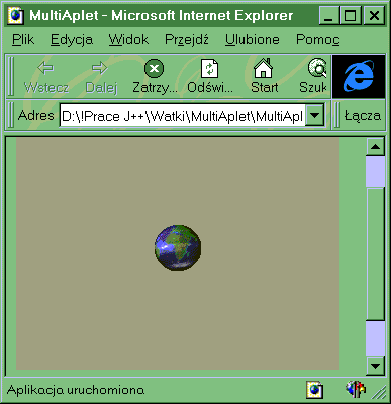
Po uruchomieniu tego apletu na ekranie widzimy obracającą się kulę ziemską:
Ilustracja 6-1 Obraz działania wygenerowanego przez
Visual J++ 1.1 szkieletu apletu.
Opis patrz punkt.
import java.applet.*;
import java.awt.*;
public class MojRysownik extends Applet implements Runnable
{
	private int m_X = 60, m_Y = 50, m_oldX, m_oldY;
	private Thread animWatek;
	private Font font;
	private Graphics buforGraf;
	private Image bufor;
	private Dimension rozmiarBuf, d;
	public void init()
	{
		d = this.size();
		font = new Font("Arial", Font.BOLD, 20);
		m_oldX=m_X;
		m_oldY=m_Y;
	}
	public void start()
	{
		if (animWatek == null) animWatek = new Thread(this,"Rysownik");
		animWatek.start();
	}
	public void stop()
	{
		if (animWatek != null)	animWatek.stop();
		animWatek=null;
	}

	public void run()
	{
		boolean lewo = true;
		while (Thread.currentThread() == animWatek)
		{
			if (m_X > 110) lewo = true;
			if (m_X < 10) lewo = false;
			if (lewo)
				{	m_X--;	m_Y--;	}
			else
				{	m_X++;	m_Y++;	}
			repaint();
			try {
				Thread.sleep(50);
			} catch (InterruptedException e){
			}
		}
	}
	private void kolka(Graphics g, int x)
	{
		for (int i = 0; i<7; i++ )
			g.drawOval(x+i*21,30,20,20);
	}

	public void paint(Graphics g)
	{	update(g);	}
	public void update(Graphics g)
	{
		// zmiena d przechowuje rozmiar obszaru rysowania na ekranie:
		if ( (buforGraf == null)  || (d.width != rozmiarBuf.width)  || (d.height != rozmiarBuf.height) )
		{
			rozmiarBuf = d;
			bufor = createImage(d.width, d.height);
			buforGraf = bufor.getGraphics();
		}
		buforGraf.setFont(font);
		buforGraf.setColor(getBackground());
		buforGraf.fillRect(0, 0, d.width, d.height);
    		buforGraf.setColor(Color.black);
		buforGraf.fillRect(10,50,280,25);
		buforGraf.setColor(Color.white);
		buforGraf.drawString("animacja z buforowaniem", m_X, 20);
		buforGraf.setColor(Color.yellow);
		buforGraf.drawString("autor: arturt tyloch", 40, m_Y);
		buforGraf.setColor(Color.black);
		kolka(buforGraf, m_X);
		g.drawImage(bufor, 0, 0, this);
	}
}
import java.applet.*;
import java.awt.*;
import java.awt.event.*;
public class ZaladujURL extends Applet
{
	public void init()
	{
		final Button btnZaladuj = new Button("Zaladuj strone");
		final TextField txtCo = new
				TextField("http://friko.onet.pl/po/arturt/index.html");
		setLayout(new BorderLayout());
		add("North",txtCo);
		add("Center",btnZaladuj);
		btnZaladuj.addActionListener(new ActionListener()
				{
					public void actionPerformed(ActionEvent evt)
 					{
 						if (evt.getSource() == btnZaladuj)
						try
						{
							getAppletContext().showDocument(new
								java.net.URL(getCodeBase()+"tmp.html"),"_self");
						}
						catch (Exception exc)
						{
							exc.printStackTrace();
							txtCo.setText("Zly adres");
						}

					}
				});
	}
}